
Massage Therapy Booking Software: The Secrets of Scheduling

Last Updated on 31 July, 2026
How to Fill Your Schedule and Reduce No-Shows
Keeping your schedule full and minimizing missed appointments are two of the biggest challenges massage business owners face. If your calendar has gaps or you’re constantly chasing clients who don’t show up, you’re losing revenue and wearing yourself thin.
That’s where effective massage therapy booking software plays a pivotal role.
In this post, we’ll cover what massage booking software is, how it helps reduce no-shows, the core features to look for, setup tips for success, scheduling advice, whether online booking is secure, how the top platforms stack up for 2026, and answers to common questions massage business owners ask.
Key Takeaways
- Massage booking software lets clients book anytime, helping fill schedules and reduce admin work.
- Automated reminders, deposits, and clear policies significantly reduce no-shows and missed revenue.
- Smart scheduling and automation tools save time while protecting therapist workload and service quality.
What Is Massage Therapy Booking Software?
Massage therapy booking software is an online tool that lets clients schedule appointments 24/7 while giving therapists and business owners a central calendar and management dashboard.
Rather than juggling calls, texts, or paper books, everything from booking and cancellations to reminders and payments happens in one place, reducing admin time and freeing you up to focus on client care.
How Can Booking Software Reduce No-shows in Your Massage Practice?
Booking software reduces no-shows by taking over repetitive tasks and adding structure that motivates clients to show up.
Here’s how:
- Automated confirmations: Immediate confirmations reassure clients that their appointment is set.
- Multiple reminders: Texts, emails, or push notifications keep the appointment top of mind.
- Deposits or pre-payments: Asking for a small pre-payment increases commitment.
- Easy cancellation/rescheduling: Clients are more likely to update their booking properly instead of ghosting.
- Clear policies during booking: Make your cancellation and no-show terms visible upfront.
AMTA data also shows that consumers with children at home are more likely to receive a massage, underscoring the importance of flexible online booking, reminders, and easy rescheduling for busy clients.
Taken together, these improve client follow-through and lower your no-show rate.
Which Features Should You Look for in Massage Therapy Software?
Not all booking tools are the same. Here are the features that matter most for massage business owners:
24/7 Online Booking
Clients should be able to book appointments anytime, from any device, without calling or emailing your business.
AI Front Desk and Wellness Concierge
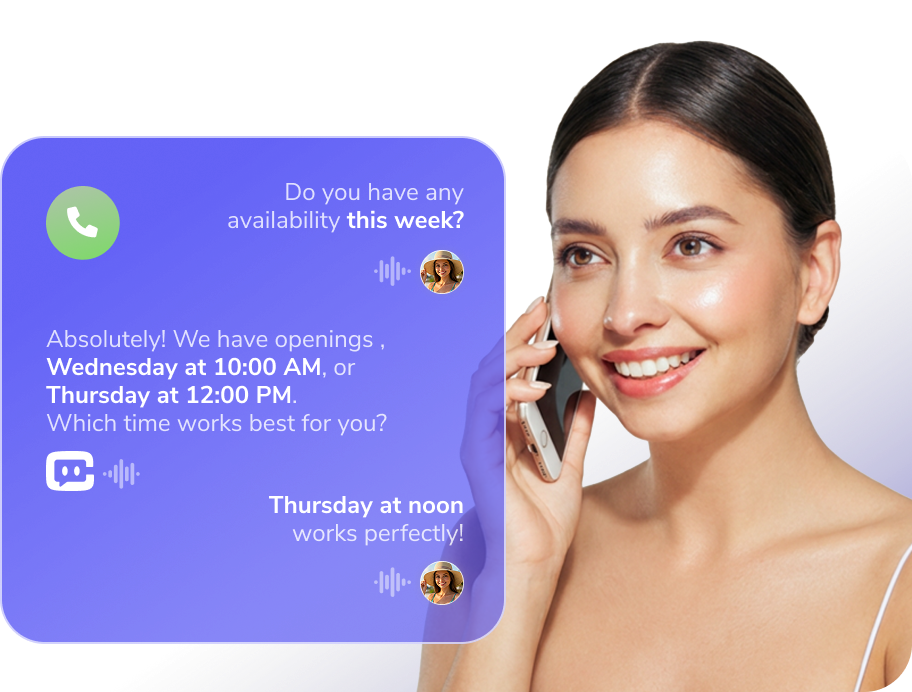
CAASI – WellnessLiving’s AI Assistant
An AI assistant like CAASI acts as a virtual front desk, answering common client questions, helping with bookings, and providing guidance outside business hours. This improves response times and captures leads even when your team is offline.
Automated Reminders and Confirmations
Email and SMS reminders reduce no-shows and keep clients informed without manual follow-ups.
Custom Receipts for Insurance Reimbursement
Massage clients often need detailed receipts for insurance claims. Look for massage software that generates customized receipts with service details, pricing, practitioner license numbers, and digital signatures.
Digital Intake Forms and Treatment Notes
Built-in intake forms and SOAP or treatment notes allow you to securely document client health history, preferences, and session details in one place. Having this information tied directly to client profiles improves continuity of care and saves time between appointments.
Automatic Schedule Syncing
Real-time schedule syncing keeps your entire team aligned. Any changes to appointments update instantly, reducing double bookings and miscommunication.
Client Profiles and Visit History
Centralized client records store intake forms, treatment notes, preferences, and appointment history, making it easier to deliver personalized experiences and follow-up care.
Reporting and Business Insights
Clear reporting on bookings, revenue, therapist utilization, and no-show rates helps you make smarter scheduling and staffing decisions.
See this article on Guide to Massage Scheduling Software: Top Features & Tools to learn more.
How Do You Set Up Your Online Massage Schedule for Success?
You can’t optimize your online schedule simply by turning on an online calendar. Try these tips:
- Block core hours: Designate consistent time blocks for booking so clients know when you’re available.
- Add buffer times: Give yourself travel or prep time between appointments.
- Segment services: Offer different durations or add-ons so clients can self-select the right amount of time.
- Set booking rules: Limit last-minute bookings to prevent disruptions.
- Enable deposits: Secure commitment and reduce last-minute cancellations.
These tweaks keep your calendar structured and reduce admin overhead.
How Many Massage Appointments Should a Therapist Accept Daily?
There isn’t a one-size-fits-all number, but industry practice and therapist feedback suggest most therapists do between 4 and 6 appointments per day comfortably when sessions are one hour long.
Going above six can lead to fatigue and lower service quality, especially if appointments are back-to-back without breaks. Massage work is physically demanding, and scheduling too many sessions can decrease a therapist’s well-being and client experience.
Is Massage Online Booking Safe and HIPAA-compliant?
Reputable booking platforms include secure data protections that meet industry standards for privacy and encryption. That’s especially important if you store client health information or intake forms.
WellnessLiving follows a robust security framework designed to protect sensitive data and support compliance requirements. You can learn more about their HIPAA-related security approach here.
What Are the Best Massage Therapy Software Platforms in 2026?
When you’re evaluating tools to run your massage business, it helps to see how the top software options stack up.
For 2026, a handful of massage therapy software platforms stand out for their ability to help massage therapists fill schedules, reduce no-shows, and manage day-to-day operations more efficiently.
| Platform | Starting Price | Standout Features |
|---|---|---|
| WellnessLiving | From $69/mo | All-in-one booking, reminders, client management, marketing, POS, inventory, staff apps, and more with tiered plans. |
| Fresha | From $19.95/mo per team member | Unlimited bookings included; optional paid features and payment processing; no-contract model. |
| Vagaro | From ~$35/mo for one bookable calendar | Spa-focused scheduling, inventory, marketing, and POS. |
| Mindbody | From ~$99/mo | Comprehensive wellness & spa scheduling with client management, reporting, and access via the Mindbody app. |
| Jane | From ~$54/mo | Practice mgmt with online booking, intake forms, reminders, billing, and optional billing/payment add-ons. |
| Mangomint | From $165/mo | Premium spa & massage scheduling + payments + client management for small teams; higher tiers available. |
For massage business owners who’ve outgrown fragmented systems, real-world experience matters. As Andrea Grigsby, owner of One Massage At A Time, puts it:
“Every second that you know about WellnessLiving and don’t make the switch, you waste your own time and efforts. If you want to grow, it wouldn’t make sense to keep investing in something that isn’t doing what you want it to do.”
Choosing the Right Massage Software for Your Business
If you’re focused on how to fill your massage therapy schedule, the right software should make booking easy, reduce no-shows, and help you keep appointments consistent without extra admin work.
WellnessLiving combines online booking, automated reminders, and client management in one system, making it easier to keep your schedule full as your business grows.
Book a WellnessLiving demo to see how it fits your workflow.
FAQs About Massage Therapy Booking Software
-
How can massage therapists keep their schedules consistently full?
Offer 24/7 online booking so clients can schedule anytime. This removes reliance on phone calls or staff availability. Easy access increases booking frequency and fills gaps. Convenient systems help maximize daily appointment capacity.
-
What features reduce no-shows in massage therapy businesses?
Automated reminders via SMS and email keep appointments top of mind. Deposits or prepayments increase client commitment. Clear cancellation policies set expectations early. These features significantly reduce missed appointments and lost revenue.
-
How can scheduling software improve therapist productivity?
Centralized calendars coordinate therapist availability and treatment rooms. This prevents double bookings and idle time. Automated workflows reduce manual scheduling tasks. Efficient systems allow therapists to focus more on client care.
-
What scheduling practices support long-term therapist wellbeing?
Limit daily sessions to a sustainable number to avoid burnout. Many businesses aim for four to six sessions per day. Proper spacing between appointments maintains service quality. Balanced schedules support both performance and retention.
-
How can booking software enhance the overall client experience?
Clients can book, reschedule, and pay from one connected system. Personalized profiles store preferences and service history. Faster, smoother interactions improve satisfaction. Better experiences increase repeat visits and long-term loyalty.