
What’s the Best Software for Running Multi-Location Studios?

Last Updated on 26 February, 2026
Running more than one studio location changes everything. Scheduling gets more complex, staff coordination takes more effort, and reporting starts to feel scattered across too many systems. How can you choose the best software for multi-location studios?
Industry research shows that more fitness and wellness businesses are investing in centralized software as they grow, especially platforms that combine scheduling, payments, client management, marketing, and analytics in one place.
For multi-location studios, that kind of all-in-one system has become essential for staying efficient and consistent across every site.
That’s why many growing brands choose WellnessLiving as the best software for multi-location studios. It brings scheduling, client management, reporting, and marketing into one connected platform, so every location runs smoothly under the same roof.
- 1. One Platform for Every Location
- 2. Centralized Reporting That Actually Helps You Scale
- 3. A Seamless Client Experience Across Studios
- 4. Staff Tools Built for Multi-location Coordination
- 5. 24/7 Support With CAASI, Your AI Front Desk Concierge
- 6. Automation That Supports Growth Without Extra Admin
- Why WellnessLiving Is the Best Software for Multi-Location Studios
- ❓ Software for Multi-Location Studios: FAQs ❓
1. One Platform for Every Location
Multi-location businesses need consistency. WellnessLiving gives you one centralized system instead of separate tools for each studio. With WellnessLiving, you can manage:
- Class schedules and appointments across all locations
- Client profiles and memberships in one place
- Payments, billing, and packages studio-wide
- Staff roles, scheduling, and payroll reporting
- Marketing tools that work across locations
That means fewer operational gaps and less time spent fixing admin issues between sites.
2. Centralized Reporting That Actually Helps You Scale
Once you expand beyond one studio, reporting becomes one of the biggest pain points.
WellnessLiving’s Enterprise Cloud gives you a clear view of performance across every location, including revenue by studio location, attendance and class fill rates, membership growth and retention, and top-performing services and instructors.
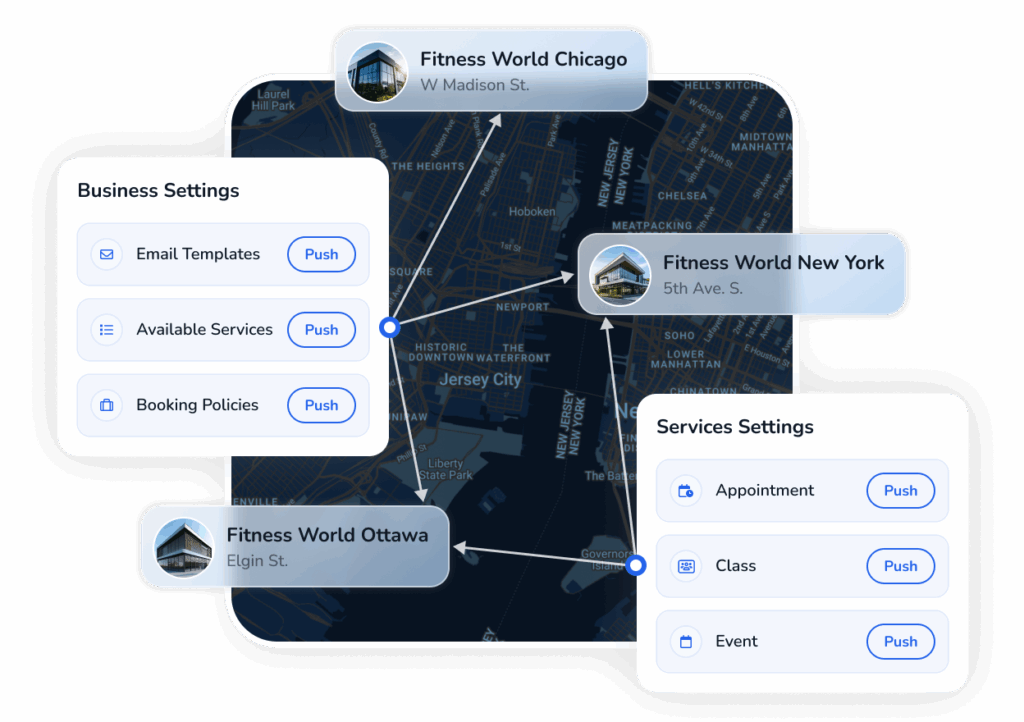
WellnessLiving’s centralized configuration tools
Studios that scale successfully often point to reporting as the backbone of their growth. As the Neaumix Fit team shared in a case study after expanding from two to thirteen locations:
“WellnessLiving is everything to us because we manage all of our reporting. This is how our franchisees run their entire business… It’s really plug and play. We can train our oncoming franchisees from afar.”
3. A Seamless Client Experience Across Studios
Clients don’t want to feel like each location is a separate business. WellnessLiving keeps client data unified, so members can book, attend, and manage their accounts across locations without confusion.
Client profiles follow them wherever they go, including:
- Visit history
- Membership status
- Purchases and packages
- Preferences and notes
And with the Achieve Client App, booking stays simple for clients while reducing front desk workload.
4. Staff Tools Built for Multi-location Coordination
Managing instructors across studios requires a lot more than basic scheduling. WellnessLiving gives you tools to coordinate staff across locations, including:
- Role-based scheduling and shift management
- Commission tracking and payroll reporting
- Mobile access through the Elevate Staff App
- Performance insights by trainer or studio
Instead of back-and-forth messages and manual tracking, your team stays aligned in one system.
5. 24/7 Support With CAASI, Your AI Front Desk Concierge
When you operate multiple locations, client questions don’t stop when your front desk closes. WellnessLiving’s built-in AI assistant, CAASI, helps studios stay responsive around the clock by answering common questions, supporting booking inquiries, and capturing leads through chat on your website.
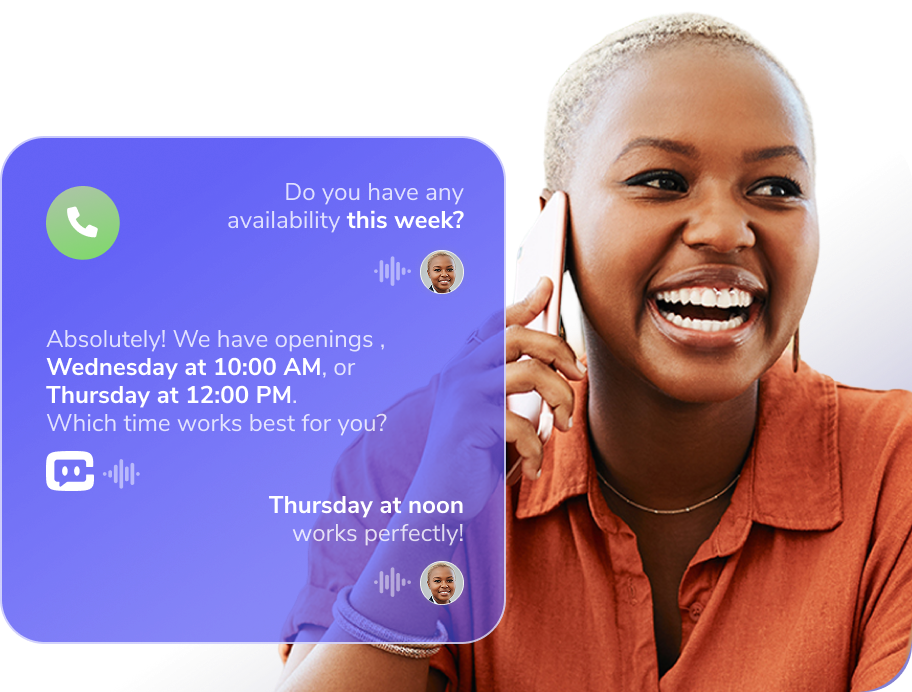
That means clients get fast answers no matter which location they’re visiting, while your staff stays focused on in-person service.
6. Automation That Supports Growth Without Extra Admin
The more locations you add, the harder it becomes to stay on top of the small but critical details, like reminders, follow-ups, billing, and client communication.
WellnessLiving includes built-in automation tools that help multi-location studios scale without needing to hire extra admin support. You can automate appointment reminders, class confirmations, membership renewals, and even location-specific marketing campaigns, all from the same platform.
These workflows reduce no-shows, stabilize revenue, and keep clients engaged across every studio, without adding more manual work to your team’s day. If you want even more ideas for staying connected with clients through automations, check out The Complete Guide to Building Your Business with Automated Notifications.
Why WellnessLiving Is the Best Software for Multi-Location Studios
If you’re looking for the best software for multi-location studios, WellnessLiving stands out because it was built for wellness businesses that want to grow without losing control of operations.
From centralized reporting to consistent client experiences across every site, WellnessLiving helps multi-location studios stay organized, scalable, and connected.
Book a demo today to see how WellnessLiving can support your next stage of growth.
❓ Software for Multi-Location Studios: FAQs ❓
Multi-location studios need centralized scheduling, unified reporting, and consistent client profiles across sites. Real-time visibility into bookings and inventory helps managers monitor performance across all locations without logging into separate systems.
Shared workflows, policies, and templates reduce variation. Staff at different locations use the same booking rules, pricing, and communication tools. Consistency strengthens your brand and reduces client confusion when they interact with any site.
Yes. Good multi-location systems let members use one account at any site. Unified billing and shared visit histories let clients move between locations without losing progress or loyalty credits. This makes memberships more flexible and valuable.
Look for dashboards that compare performance by location and aggregations across all sites. Track metrics like attendance trends, revenue breakdowns, and retention by location. Effective reporting supports smarter decisions about staffing and scheduling.
Avoid choosing tools that require separate logins for each site or lack consolidated data. Don’t overlook support quality and migration assistance. Weak integrations and inconsistent feature sets across locations can slow growth and complicate operations.